
add-printer
This is an old revision of the document!
Add a Printer
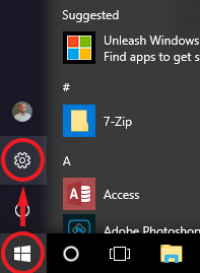
Navigate to Start > Settings.
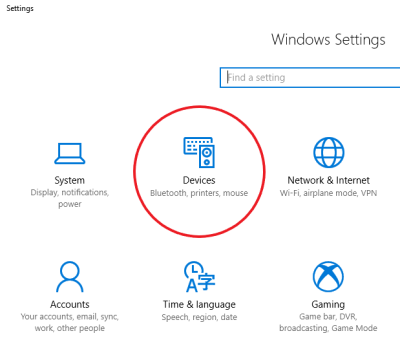
In Settings, find the Devices & Printers button.
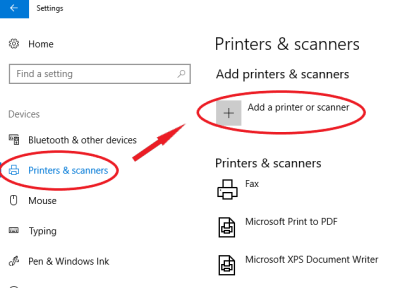
Switch to the Printers & scanners tab, then select Add a printer or scanner.
Select the printer you wish to connect to from the list of discovered devices, then follow the on-screen prompts to complete setup.
add-printer.1563396709.txt.gz · Last modified: by jsanders